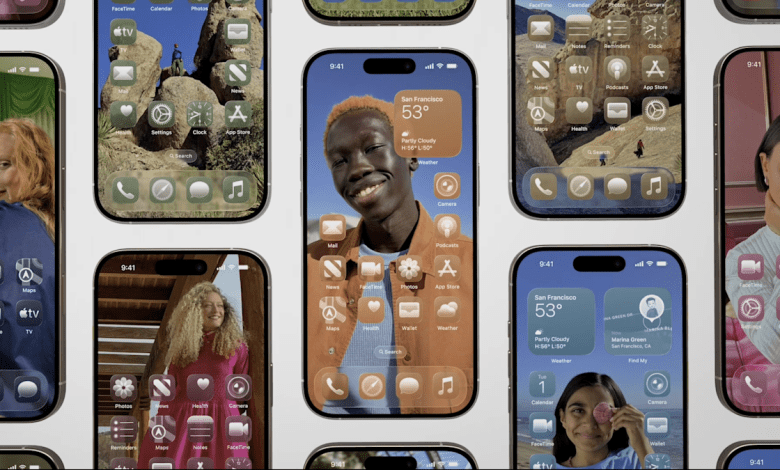
Apple’s latest iterative update for iPhones brings a welcome change for those who aren’t fans of the Liquid Glass design overhaul. After user complaints that Liquid Glass’s translucent design was difficult to read, Apple introduced a compromise in the fourth beta of iOS 26 that allowed for a more frosted look as well as a transparency reduction option buried in Accessibility settings. Now, Apple is bringing this Liquid Glass toggle to all iPhone users with iOS 26.1.
What is liquid glass?
Apple launched Liquid Glass at WWDC 2025 as a major visual overhaul, prompting many comparisons to Windows Vista. Everything from switches and sliders to sidebars and panels would mimic glass, so users can see underlying colors and content. While some iPhone users appreciated the smoothness and freshness, others said the transparent look often created readability issues, caused lag in animations, and led to eye strain over long periods of time.
How to reduce the Liquid Glass effect
To access the new Liquid Glass toggle, make sure your iPhone is updated to iOS 26.1. You can check which version you’re using by going to Settings, then General, then Software Update. After confirming that you’re using the most recent iOS, you can go back to Settings, then Display & Brightness. From there, you’ll find a new setting for Liquid Glass that lets you choose between “Clear” or “Tint.” The Clear option is Apple’s original vision for Liquid Glass with transparent controls, while the Tinted option “increases opacity and adds more contrast.”
You can preview the differences between the two choices in the Liquid Glass setting before committing to one. When used, the Tinted option changes to the same frosted look first seen by iOS beta testers, which adds a more solid background to panels that have been processed by Liquid Glass. It’s important to note that there are only two options and Apple hasn’t opted for a slider to adjust the opacity. However, Apple is moving more towards customization of its operating systems, as indicated by its recently introduced Spatial Scenes feature.


